
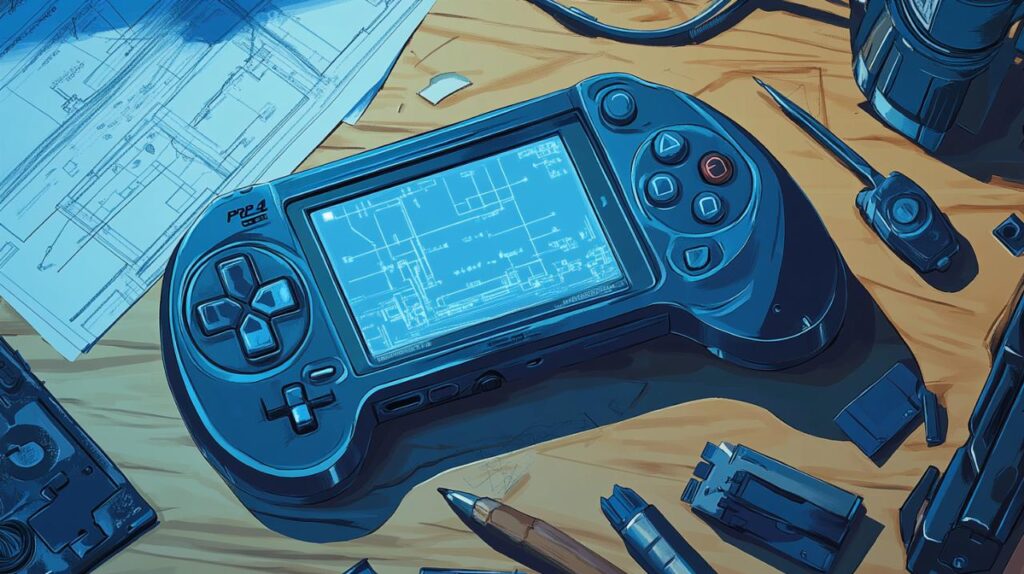
For enthusiasts eager to expand the capabilities of their PlayStation Portable, installing homebrew offers an enticing prospect. Custom software opens a world of possibilities beyond official releases, transforming the console into a versatile device capable of running unique applications and games not available through standard channels. Yet before diving into this exciting modification, it is crucial to understand both the technical requirements and the inherent risks associated with altering your console's standard operation.
Preparing your psp console for homebrew installation
Before embarking on any modification journey, proper preparation of your PSP console is absolutely essential. The first step involves verifying that your system is ready to accept custom software and that you have gathered all necessary tools for a smooth installation process.
Checking firmware compatibility and version requirements
The firmware version running on your PSP determines whether homebrew installation is straightforward or requires additional steps. Certain iterations of the operating system are naturally more receptive to custom applications, whilst others present barriers that must be overcome through specific exploits or enabler programmes. To check your current version, navigate to the system settings menu where the firmware number is clearly displayed. Research whether your particular version supports direct homebrew loading or if you will need to employ workarounds such as custom firmware or kernel exploits. Some recent firmware updates deliberately block unofficial software, so understanding your console's current state is paramount before proceeding further. Consulting community resources dedicated to PSP modification will provide clarity on which versions offer the smoothest installation experience.
Essential equipment: usb cables and memory stick preparation
Gathering the right equipment beforehand saves considerable frustration during the installation process. A reliable USB cable compatible with your PSP model is indispensable for establishing a connection between your console and computer. This connection serves as the conduit through which homebrew files will transfer to your device. Equally important is ensuring your memory stick has sufficient free space to accommodate the custom applications you intend to install. Before transferring any files, format the memory stick if necessary and organise its directory structure to facilitate easy navigation later. Having your computer ready with appropriate file management software ensures smooth data transfer. Taking these preparatory steps creates a stable foundation for the installation process and minimises the likelihood of complications arising from hardware incompatibility or insufficient storage capacity.
Understanding the Security Implications of Running Custom Applications
Whilst homebrew installation unlocks remarkable functionality, it simultaneously introduces security considerations that warrant serious attention. Modifying your console's standard operation carries inherent risks that every user must acknowledge and prepare for before proceeding.
Potential risks when flashing your console
Flashing your PSP involves altering fundamental system software, a process that carries genuine risk if executed improperly. The most severe consequence is rendering your console inoperable, a state commonly referred to as bricking. This occurs when critical system files become corrupted or overwritten incorrectly, leaving the device unable to boot properly. Recovery from such a state often requires specialised knowledge and tools, with some cases proving irreversible without professional intervention. Following a reliable guide or tutorial is absolutely vital to mitigate these risks. These instructional resources detail each step methodically, highlighting potential pitfalls and providing troubleshooting advice for common issues. Rushing through the process or skipping verification steps dramatically increases the likelihood of problems. Additionally, downloading homebrew files exclusively from trusted sources protects against malicious software that could compromise your console's security or functionality. The modification community maintains repositories of verified applications, and relying on these established sources provides an additional layer of protection.
Safeguarding your data: backing up messages and game saves
Before initiating any modifications to your PSP, creating comprehensive backups of your existing data is non-negotiable. Game saves represent hours of progress that cannot be recovered if lost during the installation process. Similarly, any messages stored on your console may hold sentimental or practical value worth preserving. The backup process involves copying these files from your memory stick to a secure location on your computer. Most tutorials recommend creating multiple backup copies stored in different locations to guard against accidental deletion or hardware failure. This precautionary measure provides peace of mind and a safety net should the installation encounter unexpected difficulties. In the event that flashing goes awry, having complete backups enables restoration of your console to its previous state without losing cherished content. Investing time in proper data protection before proceeding demonstrates prudent planning and protects against avoidable disappointment.
The installation process and launching your homebrew applications
With preparations complete and risks acknowledged, the actual installation process can begin. Success depends on following established procedures carefully and understanding how to access your newly installed custom applications once the process concludes.
Following reliable guides for successful installation
The variation in homebrew types and PSP firmware versions means installation procedures differ considerably depending on your specific circumstances. Locating a tutorial that precisely matches your console's configuration is therefore critical. These guides typically break down the process into manageable stages, explaining each file's purpose and where it should be placed within your memory stick's directory structure. Many tutorials include screenshots or video demonstrations that clarify potentially confusing steps. As you progress through the installation, verify each action before moving forward to catch potential errors early. Some homebrew applications require specific folder names or file structures to function correctly, and deviating from the guide's instructions may result in applications failing to launch. Patience during this stage pays dividends, as methodical execution dramatically increases the likelihood of success. Should problems arise, consulting the tutorial's troubleshooting section or seeking assistance from modification communities often provides solutions to common obstacles.
Accessing and Running Custom Applications from Your PSP Menu
Once installation completes successfully, your homebrew applications should appear within your PSP's standard menu system. Depending on the type of custom firmware or enabler used, these applications may be located in the Games section or within a dedicated homebrew category. Navigation remains intuitive, with custom software appearing alongside official content in a familiar interface. Launching these applications typically involves selecting them just as you would any standard game or utility. The first launch may take slightly longer as the system initialises the custom software, but subsequent loads generally proceed smoothly. Your gaming experience gains significant depth as you explore the capabilities these applications offer, from emulators allowing classic games to multimedia players expanding entertainment options. This enhanced functionality represents the reward for careful preparation and methodical installation, transforming your PSP into a remarkably versatile portable device that extends far beyond its original design parameters whilst maintaining the core gaming experience that made the console beloved by enthusiasts worldwide.